




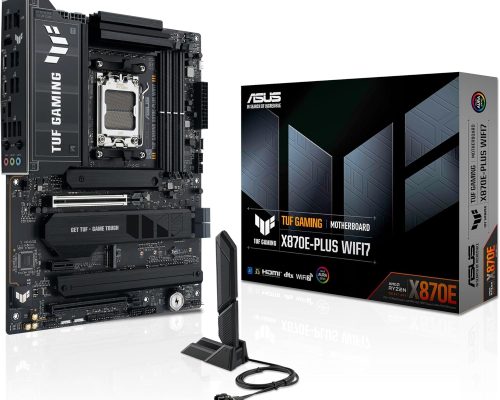
ASUS TUF GAMING X870E-PLUS WIFI7 Motherboard
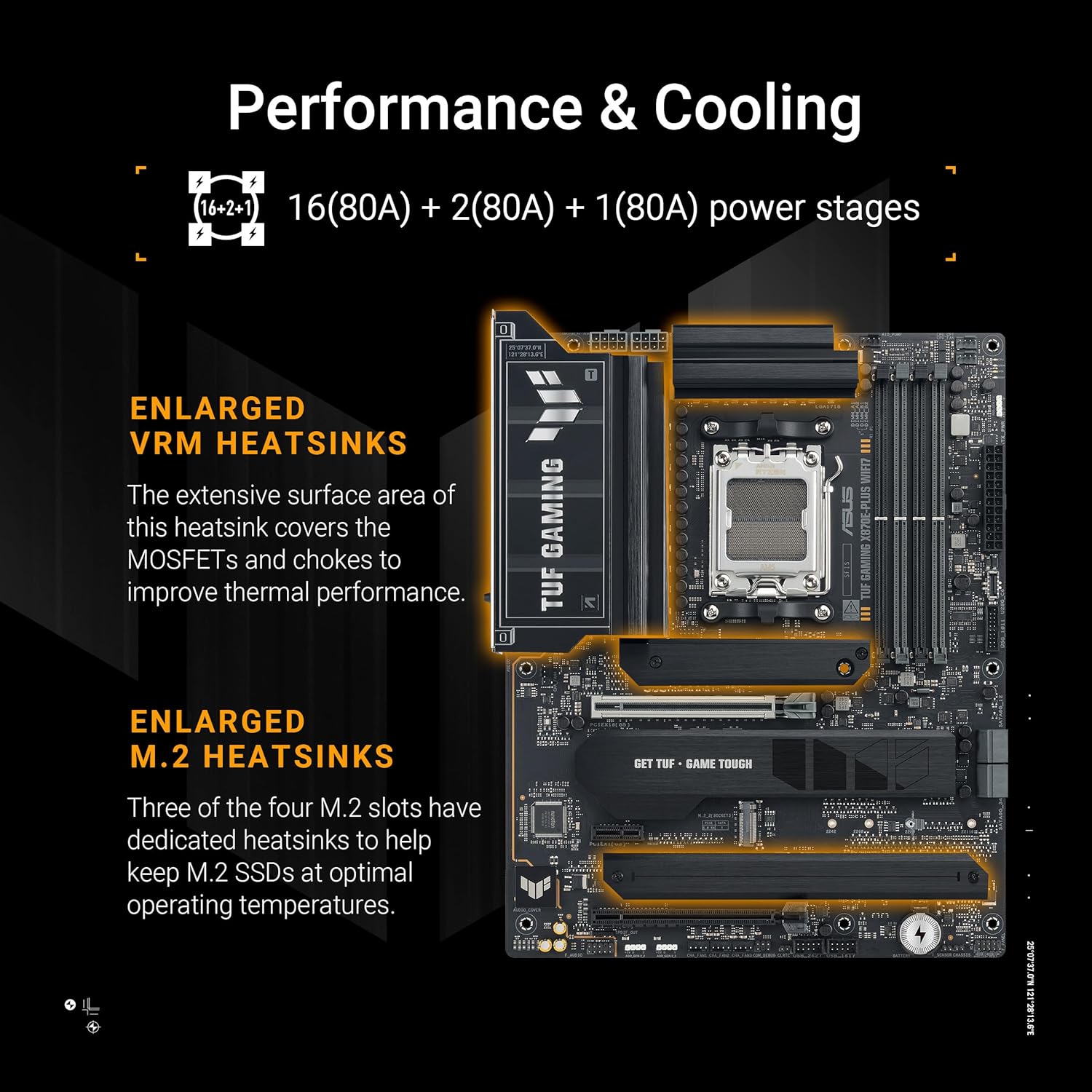
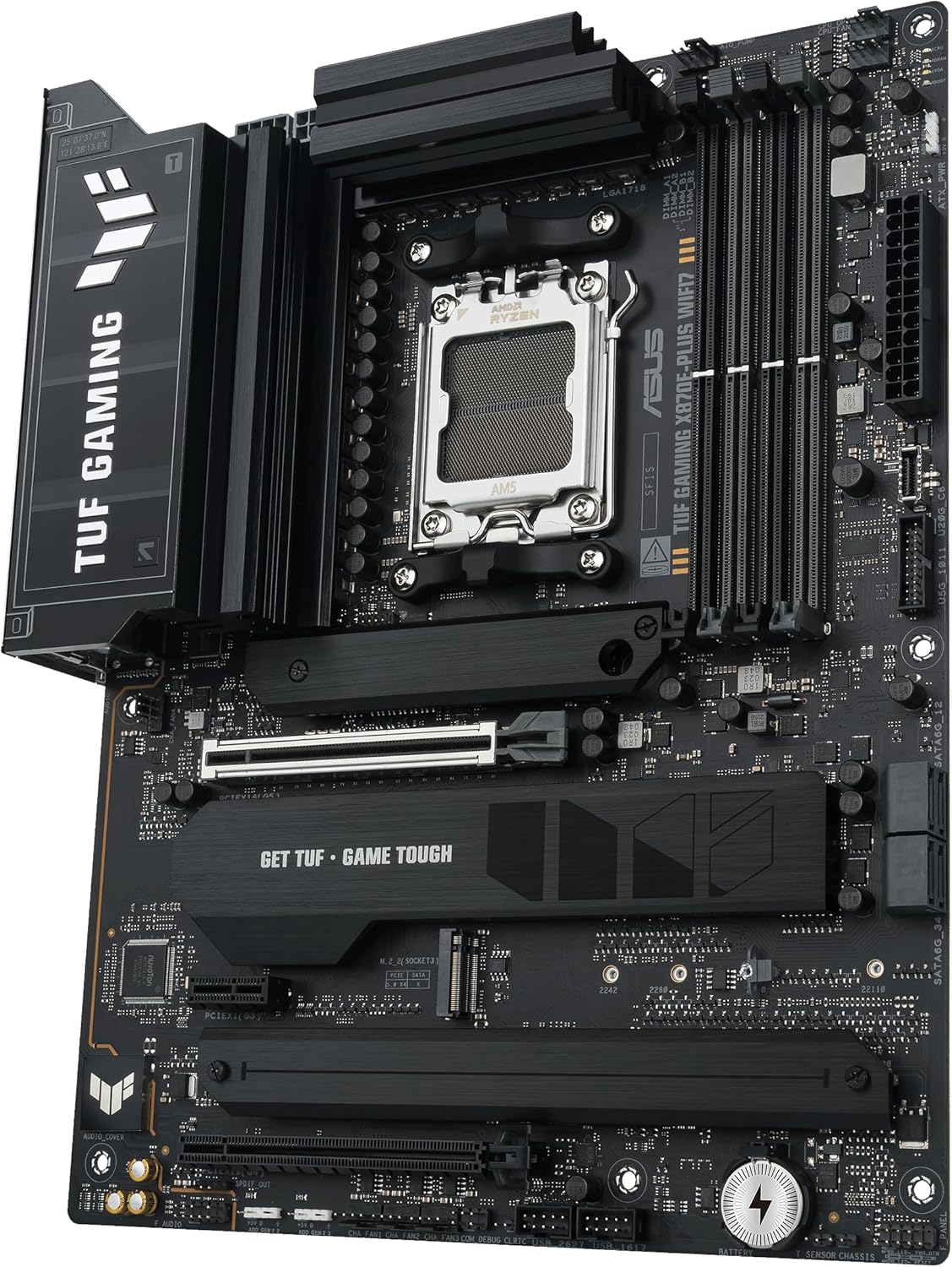
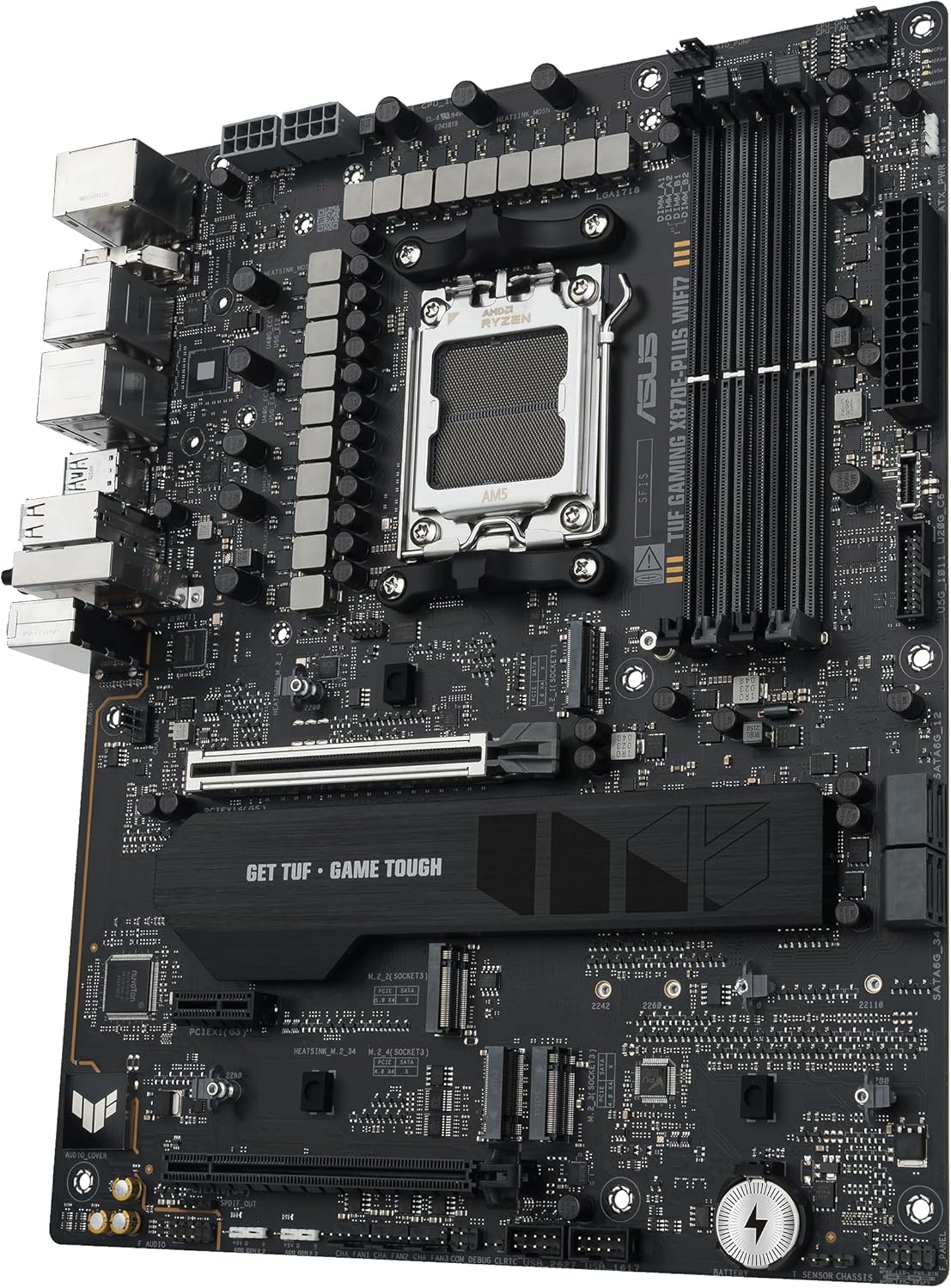
Elevate your gaming and computing experience with the ASUS TUF GAMING X870E-PLUS WIFI7 motherboard, meticulously engineered for unparalleled performance and robust durability. Designed to harness the full potential of AMD Ryzen™ 9000 Series processors, this motherboard boasts an advanced 16+2+1 80A power stage configuration coupled with an 8-layer PCB, ensuring reliable power delivery for intensive gaming sessions and demanding applications.
Key Features:
-
Future-Ready AI Computing: Built with cutting-edge AI capabilities, this motherboard is tailored for the next generation of AI applications, providing the speed and connectivity necessary for complex tasks.
-
AMD AM5 Socket Compatibility: Ready for AMD Socket AM5, it seamlessly supports Ryzen 9000, 8000, and 7000 Series desktop processors, allowing for extensive upgrade paths.
-
Enhanced Power Solution: With its 16+2+1 power stage design, 8-layer PCB, ProCool power connectors, and high-quality alloy chokes, the motherboard delivers exceptional performance stability.
-
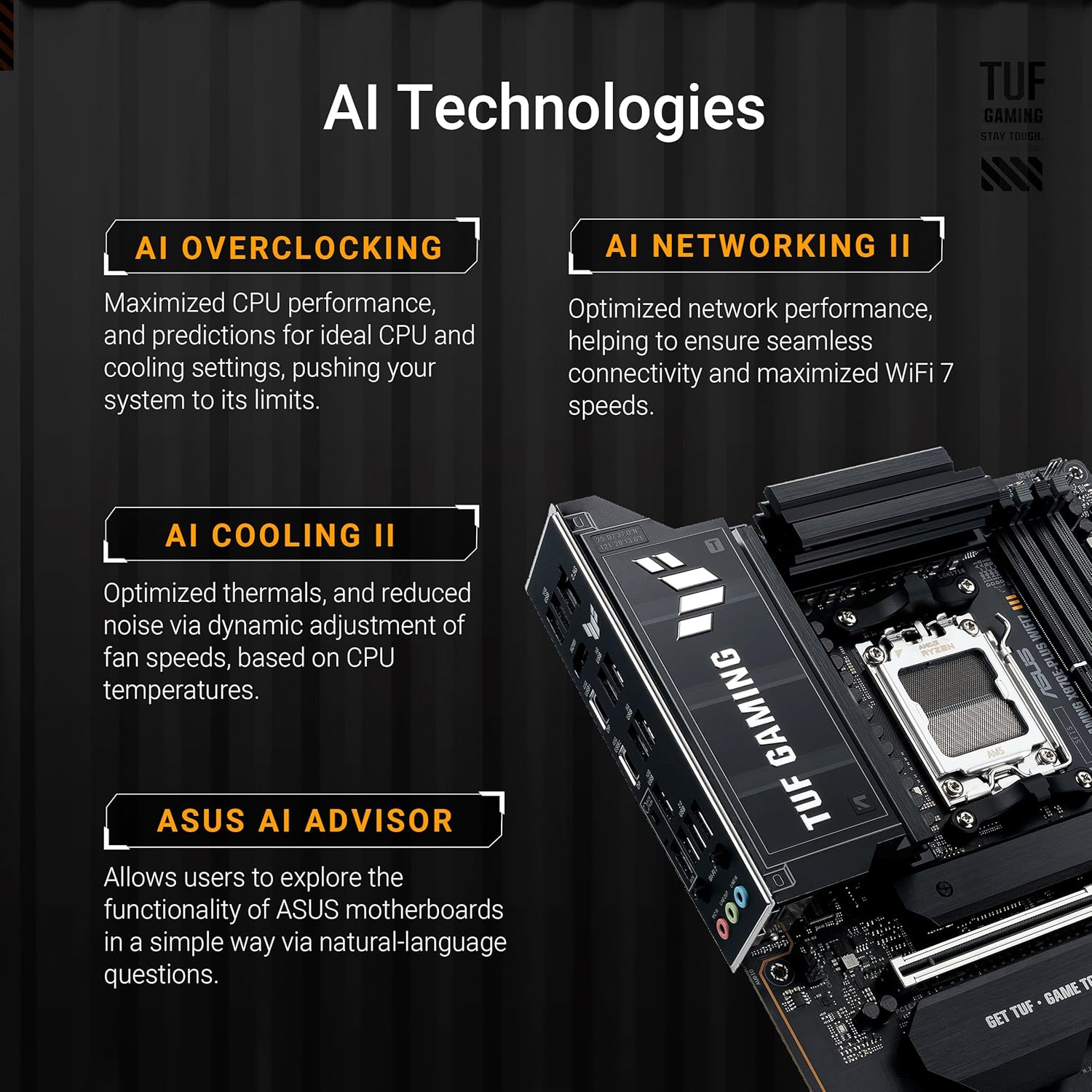
Intelligent Control Features: Make the most of your setup with ASUS-exclusive technologies like AI Overclocking, AI Cooling II, and AI Networking II, designed to optimize performance while simplifying your configuration.
-
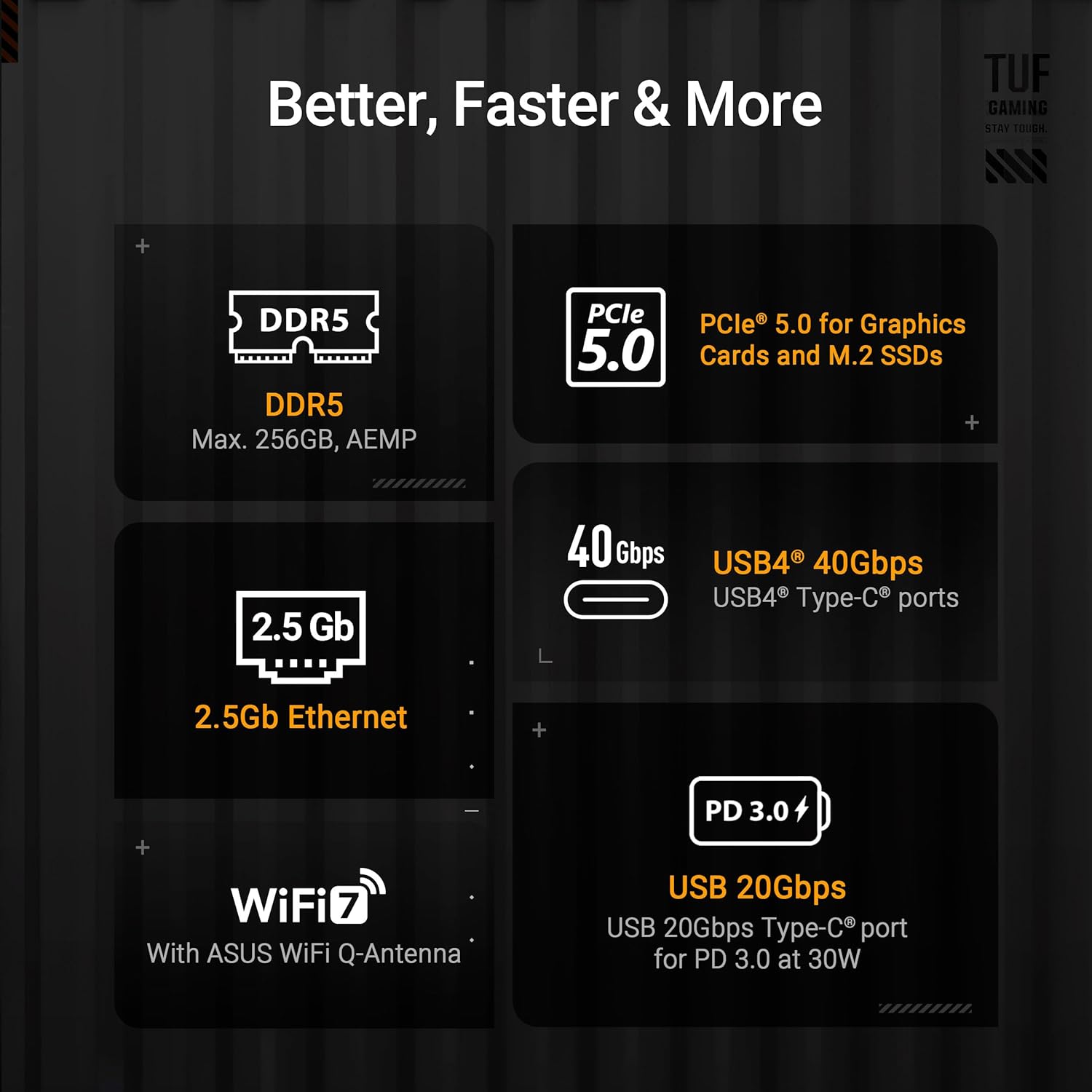
Advanced M.2 Support: Enjoy ultrafast data transfer with two PCIe 5.0 M.2 slots and two PCIe 4.0 M.2 slots, ensuring your storage needs are more than met.
-
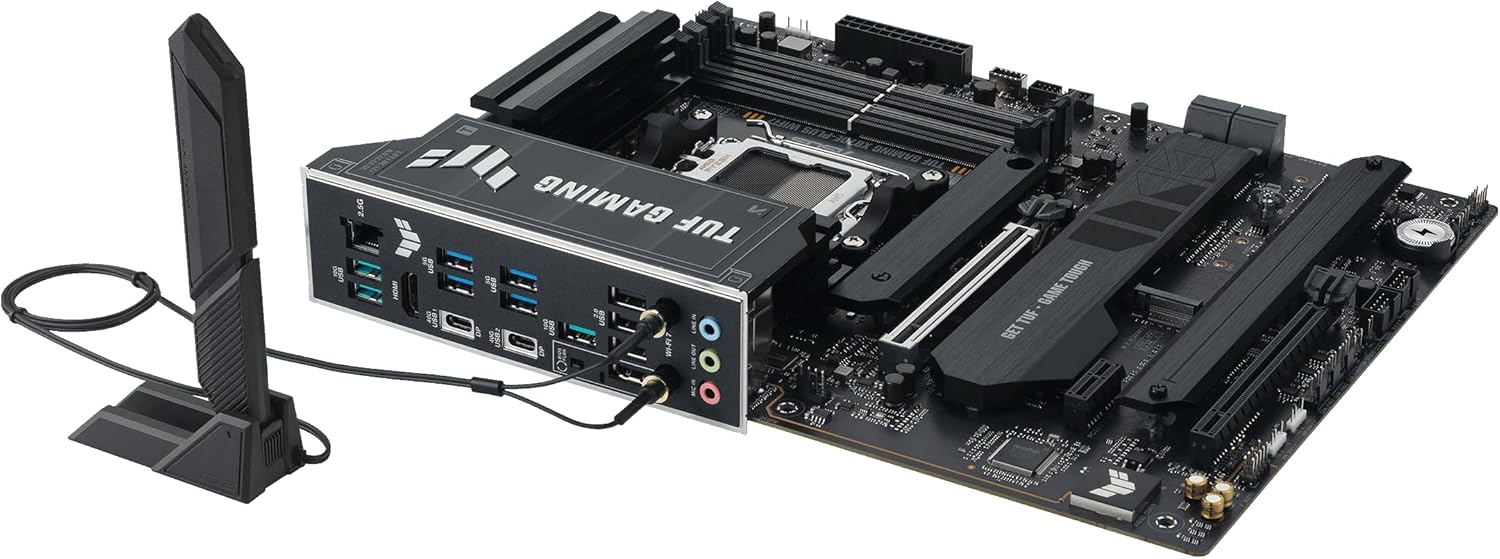
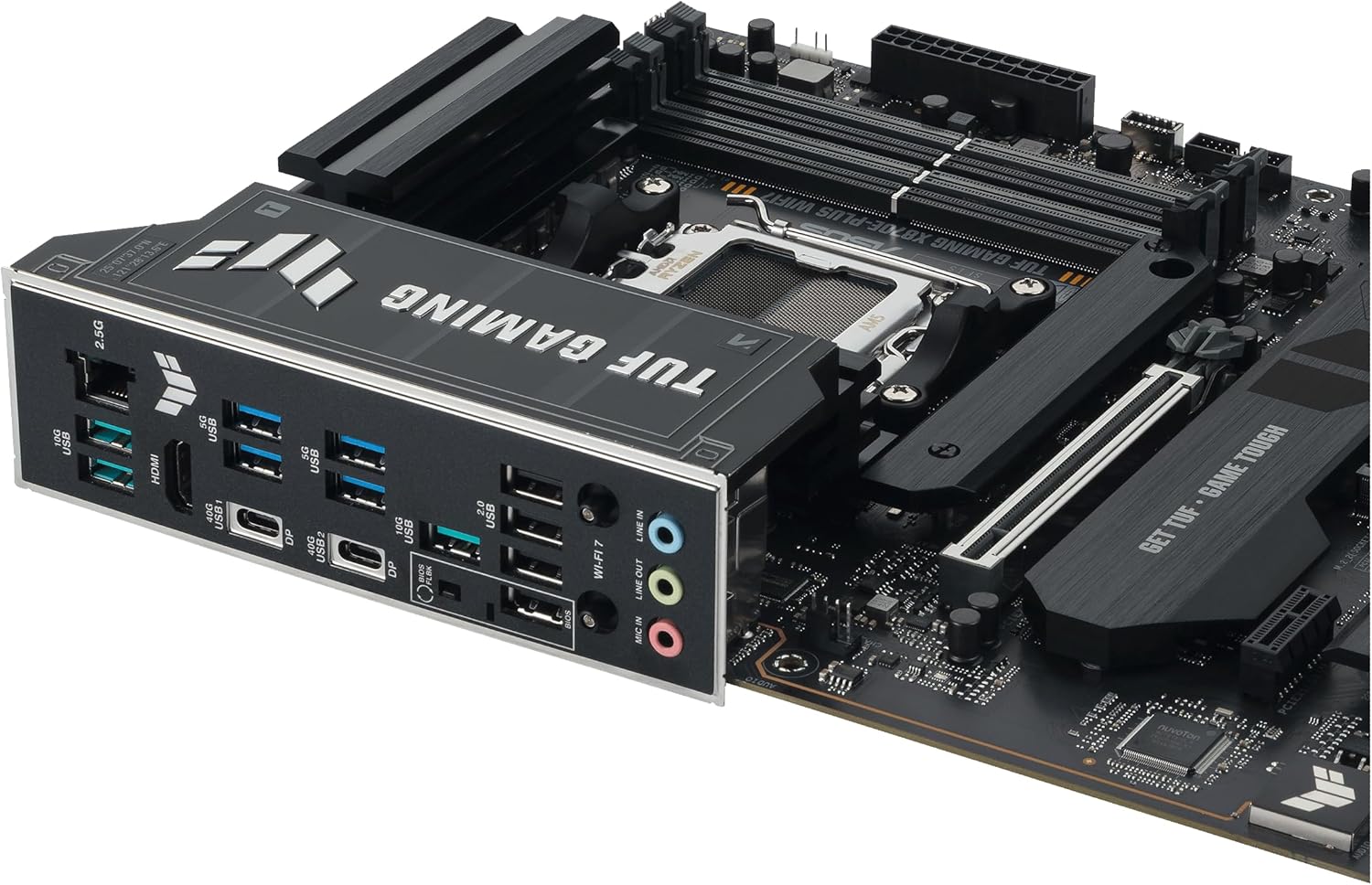
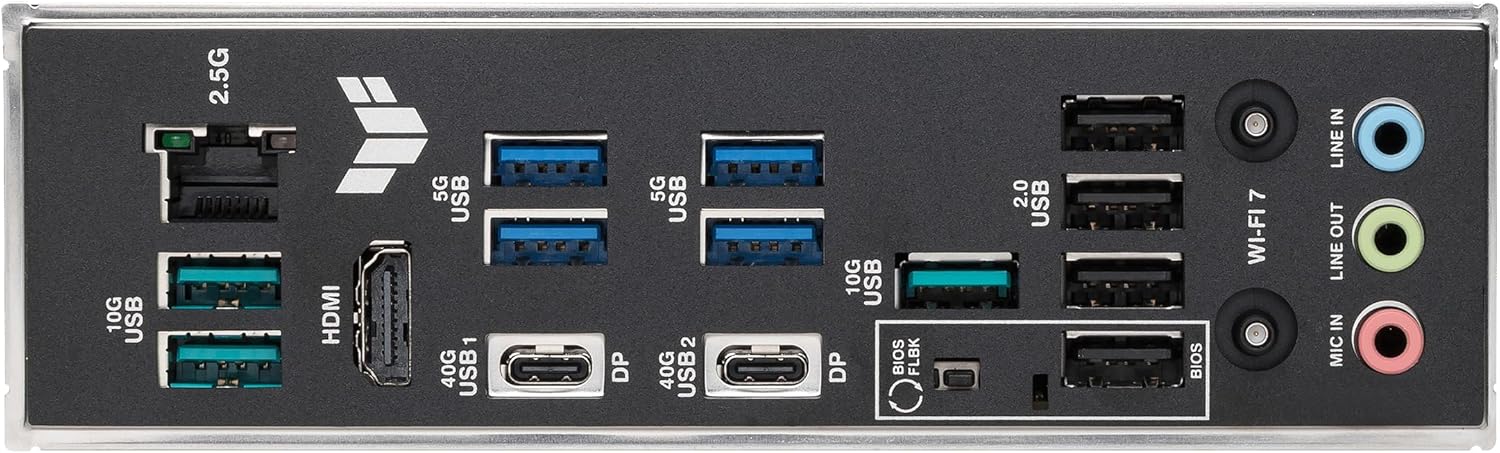
Lightning-Fast Connectivity: Experience the speed of Wi-Fi 7, a PCIe 5.0 x16 slot, Realtek 2.5Gb Ethernet, and two USB4 (40Gbps) Type-C ports, along with a front USB Type-C connector for rapid charging up to 30W.
-
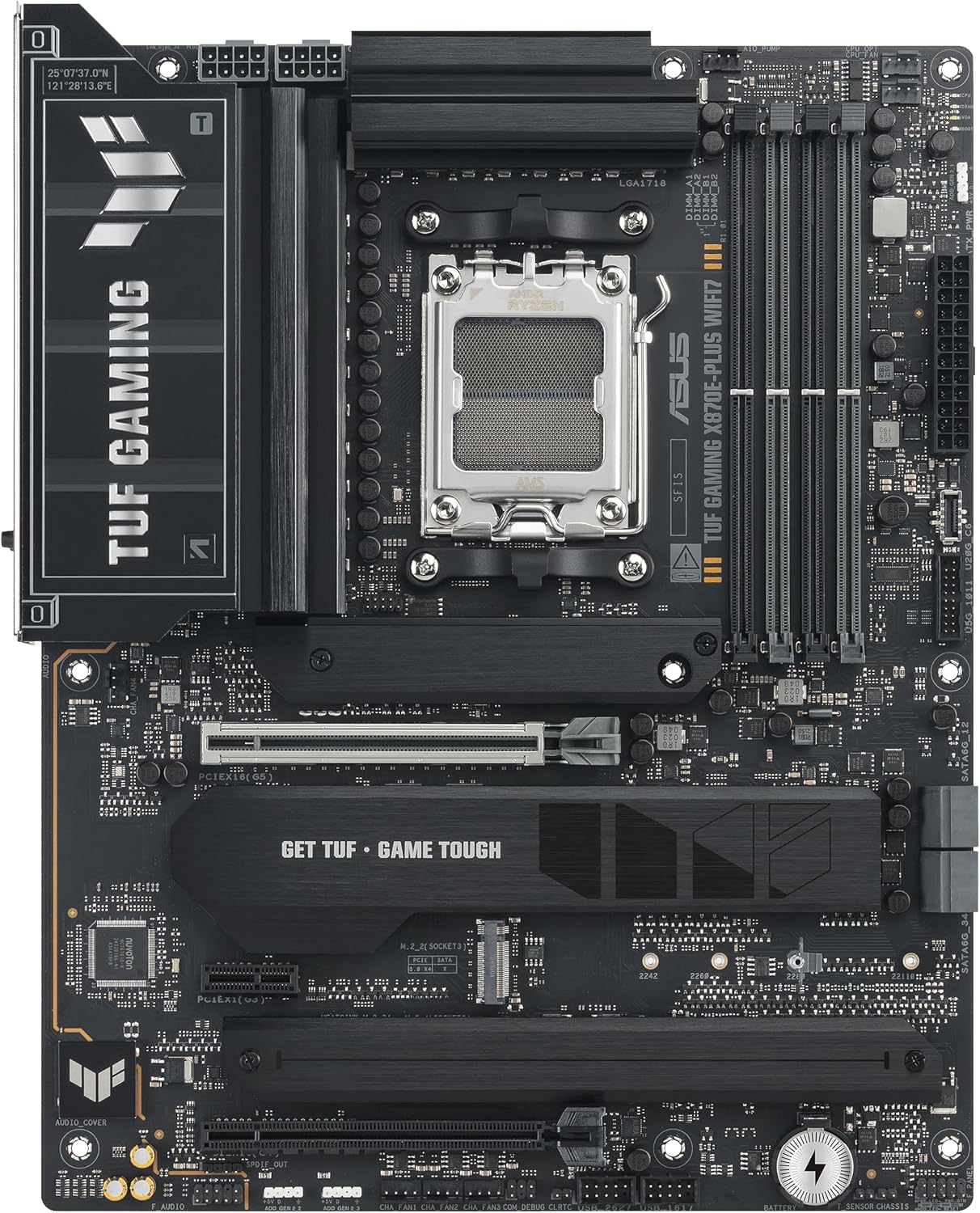
Comprehensive Cooling Design: Equipped with an enlarged VRM heatsink, dedicated M.2 and PCH heatsinks, hybrid fan headers, and AI Cooling II via Fan Xpert 4, your system will stay cool under pressure.
-
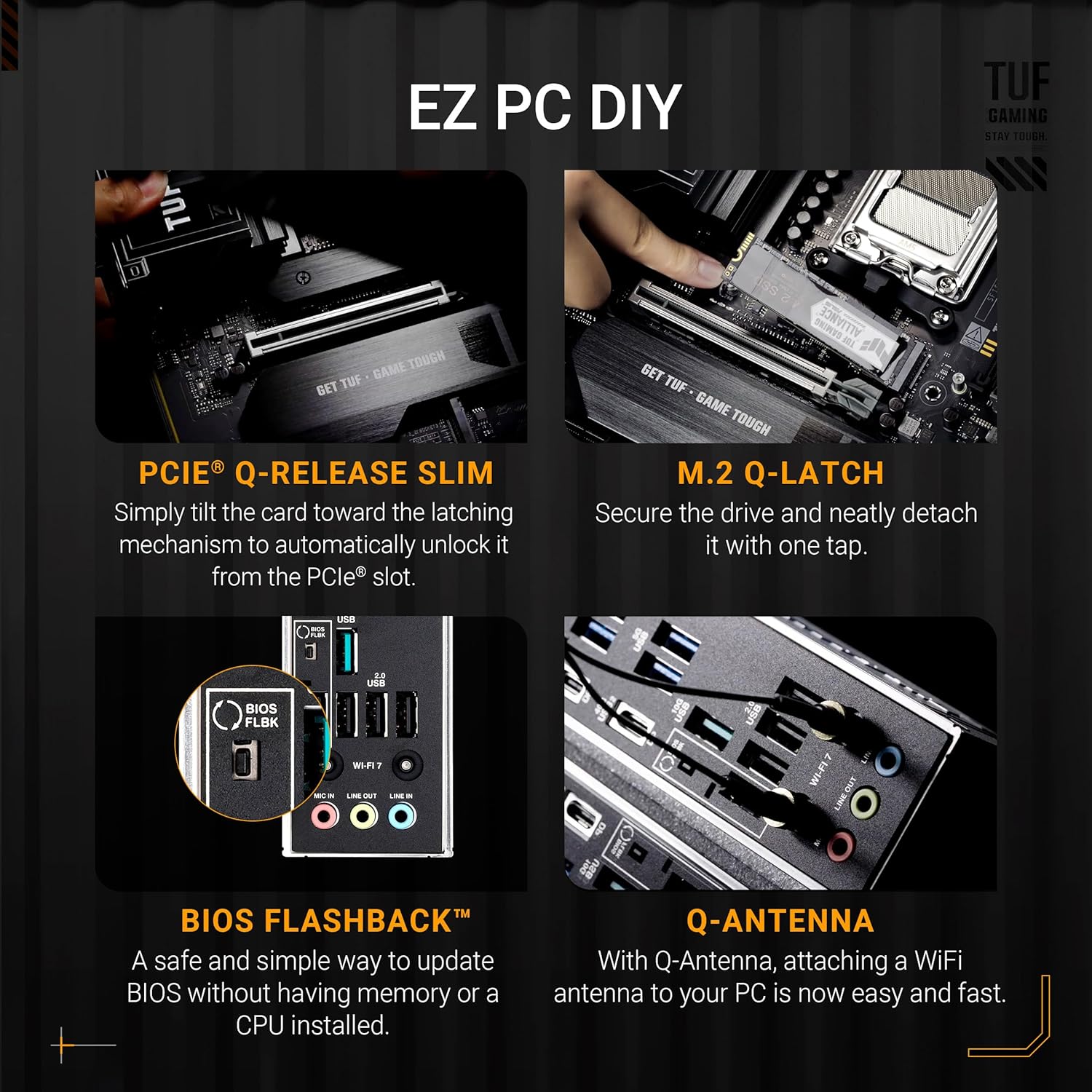
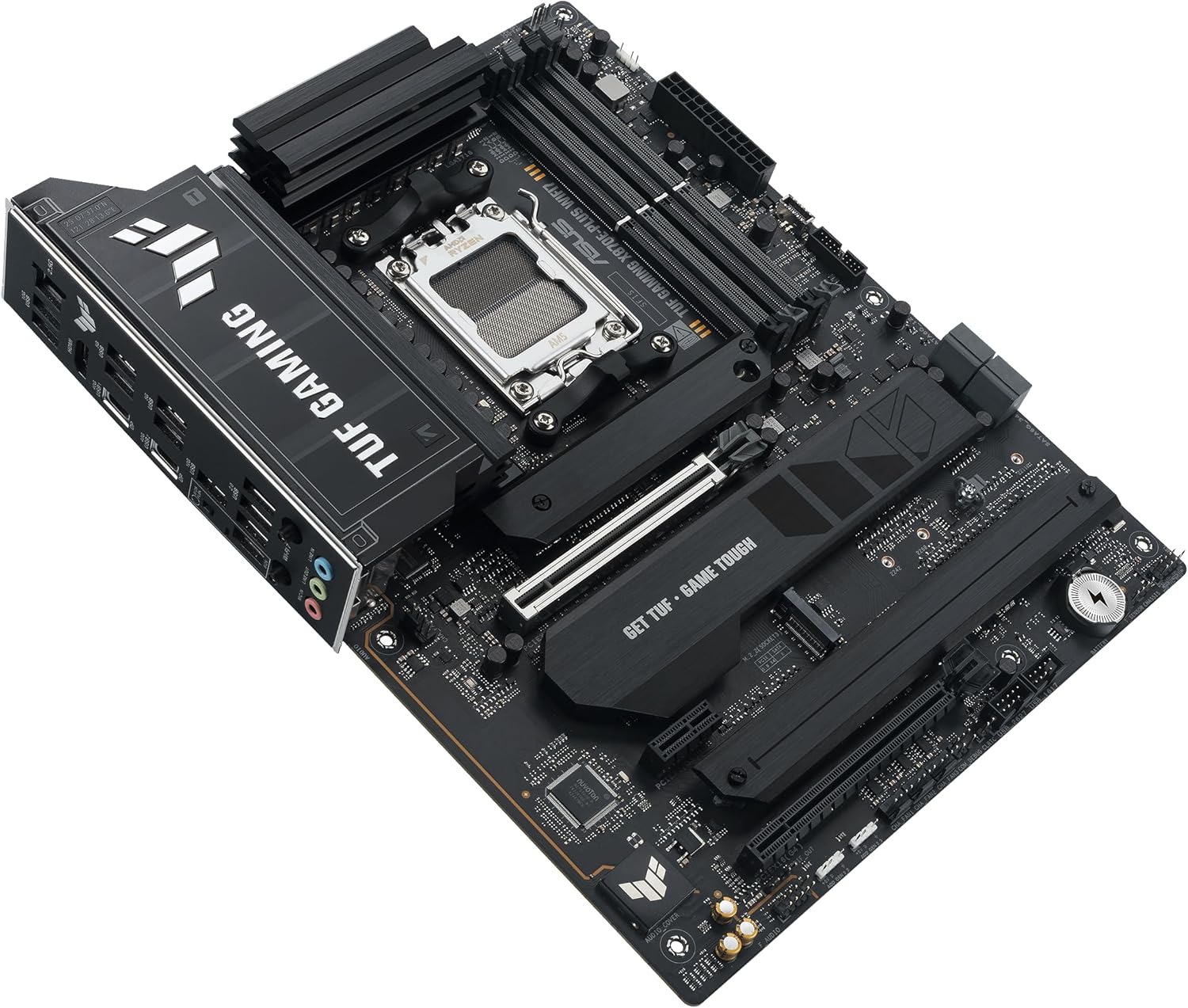
DIY-Friendly Design: Simplify installation and upgrades with features like the PCIe Slot Q-Release Slim, M.2 Q-Latch, Q-LED indicators, BIOS FlashBack, and a pre-mounted I/O shield.
-
Unmatched Personalization: Express your unique style with three Addressable RGB Gen 2 headers, fully configurable with ASUS-exclusive Aura Sync RGB lighting to match your gaming rig.
- Renowned Software Suite: Enhance your experience with a robust software suite including ASUS DriverHub, ASUS GlideX, ASUS TUF Protection, and DTS Audio Processing for superior audio quality.
Whether you’re building a high-performance gaming rig or a powerful workstation, the ASUS TUF GAMING X870E-PLUS WIFI7 is the ideal foundation. Experience reliability, speed, and cutting-edge technology today!
Customers say
Customers find this motherboard to be a nice, overkilled gaming board with easy installation and good stability. The functionality and connectivity receive mixed reviews – while some say it performs well, others report it won’t work and have issues with Ethernet connectivity. The boot speed is concerning, with multiple customers reporting crashes and failures within weeks of purchase. The value for money and slot capacity also get mixed feedback, with some finding it worth the price while others say it’s not worth the premium price, and while many appreciate the multiple M.2 slots, one customer reports compatibility issues with DDR memory cards.
Hector –
Beautiful and sturdy
I really enjoyed building my PC around this motherboard. It looks beautiful in black and with the rgb light details it brings.It feels sturdy, made to last, good materials. Enough ports to connect everything, high quality dissipators for your storage drives.First thing I did was to update the bios using flashback feature and it was pretty easy. Just plugged the flash drive on the special usb port on the back panel, pressed the button and waited around 3 minutes. Everything went well and it booted correctly.This motherboard is ATX size, so make sure you have the right case to fit it.
Bryan KB9YEN McWhirt –
Amazing board with the latest features. If you’re not running Windows check for OS Support.
I have used PC parts from most of the major manufactures. Some I have found to have equal build quality, but lacking in some other aspect. Normally horrible customer support or discontinuing product and not providing updated bios or drivers after that point.I have another Asus motherboard that runs my containerized applications. It’s an ASUS ROG Crosshair VIII Hero X570. Yes Asus makes workstation motherboards, but this was repurposed when I bout this new ASUS ROG Strix X870E-E Gaming WiFi board. I’ve been using it for about four months now and have had no issues*. No hardware comparability issues, and the default bios fan curves work great for me for a good balance of cooling and a low db noise level.The one complaint I have with every manufacture is their custom software. It would be a much better world if they all worked together to have a single dashboard for monitoring your system and keeping your drivers up to date. It would be even better if that project were fully open sourced. By that I mean the dashboard, not the drivers as many of those come from specific chip-set manufactures. That said the new Armoury-Crate dashboard application is far better than the one one that was originally available when I bought my older ASUS ROG Crosshair VIII Hero X570. It’s this type of continual improvement and listening to the community that in my opinion pushes Asus in front of the competition.While I do buy from Asus’ ROG gaming line, I do so because I need the performance their products in this line deliver. I primarily work in Blender3D and Blackmagic DaVinci Resolve Studio. With this new ASUS ROG Strix X870E-E Gaming WiFi board works great for that in Windows, I often do a god bit of my work in Linux. That is what the asterisk above comes in. This is not a negative on Asus, but rather the chip-set manufactures in that there are many things that do not work in Linux at this moment. For the most part Asus can only influence the manufactures to work with the Linux community, and at the same time they cannot only use parts that are Linux compatible because that would mean not using the newest and or best components available.As for Asus’ support, it’s good. Everything could always be improved, but in the few interactions I’ve I did not get someone asking me for information that I had already provided in my original request. This is an issue I’ve had with many other companies and I hope Asus continues with good support and taking feedback from the community and content providers like Linuxx Tech Tips, GamerNexus, Roman (der8auer) Hartung.If you are looking for a new motherboard, go to Asus’ website and use their comparison tools. This may not be the right board for you, but they certainly have one that is. Don’t hesitate to contact their support to ask question. The biggest reason people complain about a company instead of a specific product is they did not do enough research and they did not reach out to the manufacture for advice. If that manufacture doesn’t want to help you then move on. So far Asus has been helpful, even when they have had to tell me that my question, usually Linux related, isn’t something they can answer and that I’m better getting an accurate answer from that community.
JDub –
Amazing (but chonky) X870E board!
I’ve used almost exclusively ASUS motherboards going all the way back to the 1990’s and I don’t honestly recall ever having problems with them. I’ve purchased everything from the top end ASUS motherboards to their entry level motherboards over the last 30 odd years (though I’ve tended towards their high end boards since the early 2000s) I can say they all just work and do what they claim they will do.This board continues that tradition of rock solid performance from ASUS and I’m very happy with my purchase. I also enjoy my first opening of the motherboard box like a kid on Christmas, and this board really stood out as one of the best looking boards I’ve purchased in the last 10 years or so. The first thing I noticed with this one after the obvious visual appeal was the weight. I was upgraded from the X570 to the X870E with this and this motherboards has a lot of aluminum and a lot of weight! To call this thing chonky is an absolutely fair statement.The trade of with all that aluminum of course, is cooler temperatures for your VRM (which is totally overkill for the 9950X!) and cooler temperatures and better performance of your NVMe drives both Gen5 (My Gen5 NVMe drive stays at a relatively cool 42c!). My Gen4 NVMe drives hover right around 44c, I was worried about the heat in the Gen5, turns out with this particular board that is a non-issue.The latest BIOS (1003 as of this writing) improves gaming performance with the 9950X and works beautifully to park your unused cores to better improve your frame rates. If I had one complaint with my upgrade is that training DDR5 is a slow process. Fortunately you only have to do that once (more if you’re tweaking your memory) but for me it’s select the non-tweaked profile in BIOS and it’s been rock solid since (I had issues with the tweaked profile crashing games, and switched to the standard one, and the problems went away).I settled on this particular board as it had all the features I was looking for, at a price I thought was reasonable. I did my research and while I did briefly consider an ASRock motherboard I ended up settling on this for both the lanes for the NVMe and keeping my graphics card PCIE slot at x16! It also has amazing connectivity on the rear I/O shield. All that and my great experience with ASUS motherboards is why I picked this. In my opinion, you can’t go wrong with ASUS motherboards.
RJ –
The ASUS ROG Crosshair X670E Hero is a top-tier motherboard designed for enthusiasts aiming to maximize the potential of AMD’s Ryzen 7000 series processors. After several weeks of hands-on experience, here’s an in-depth look at its performance and features.Design and Build QualityThe motherboard boasts a sleek black and silver aesthetic, complemented by customizable RGB lighting through ASUS’s Aura Sync software. The robust construction includes substantial heatsinks over the VRMs, ensuring efficient thermal management during intensive tasks. The layout is well-organized, facilitating straightforward installation and cable management.Performance and Features• Power Delivery: Equipped with an 18+2 phase power design rated at 110A per stage, the X670E Hero provides stable power, accommodating overclocking endeavors with ease. • Memory Support: The board s up to 128GB of DDR5 RAM, with speeds reaching DDR5-6400 MHz (OC). However, some users have reported compatibility issues with certain EXPO-certified memory kits, necessitating careful selection and potential BIOS updates. • Expansion and Storage: Featuring two PCIe 5.0 x16 slots and five M.2 slots (two PCIe 5.0 and three PCIe 4.0), the motherboard offers extensive options for high-speed storage and future-proofing for upcoming hardware. • Connectivity: The rear I/O panel includes 12 USB ports, comprising USB 4.0 and USB 3.2 Gen 2×2, alongside Intel 2.5G Ethernet and Wi-Fi 6E, ensuring versatile and high-speed networking capabilities. Pros:• Robust Build and Aesthetics: High-quality materials and a visually appealing design make it a centerpiece in any build.• Comprehensive Feature Set: From advanced power delivery to ample expansion slots, it caters to high-performance needs.• User-Friendly BIOS: The intuitive BIOS interface simplifies overclocking and system tuning.
X –
Bought this board because all of its extra PCIe lane (I have 3 NVME drives and 3 SATA drives), and this model allows multiple slots to run at full speed.* Zen 5 CPU (9000) works right out of the box without any BIOS update.* G.SKILL Trident 6000Mhz 32×2 kit has EXPO enabled without any issue* plenty of USB ports that I don’t think I’ll run out againThe most helpful feature is the BIOS POST code display – when system first boot up or right after I enabled EXPO, nothing come up on the monitors, but I wasn’t panicking because the code shows it’s just doing memory training
CB –
Good board, though it has two major issues.Fragile nvme connectors, and not linux friendly (any flavour).The easy connect system for the nvme is very fragile. A little spring went flying out of one of them. My rog crosshair x670e had a much simpler, reliable system. Asus got too clever and introduced new points of failure.Warning. This board is not linux friendly, unlike its predecessor. The wifi/bluetooth card they ship it with is well over a year old and has no driver in any kernel, and none in development. The manufacturer isn’t doing anything and an independent effort has been abandoned. As this is not available in any kernel, it will not work in any linux flavour. This is not likely to change. Asus should use their buying power to force the lazy manufacturer. This is a popular board series for home workstations on Linux, not just gamers. Almost no one uses windows for coding or as a workstation. Have linux, want wifi or bluetooth? Buy usb dongle. Or, if you want to really take stuff apart, under the rear panel output area, remove heatsinks, and you will find a tiny wifi card that is in a socket, not soldered. But you still have to buy the new card. Amazon have some. Thats what i did. Annoying after spending so much on a board.Also, unlike it predessor, there is no manual, just a quick start guide which is for more than one board. A manual has detail that is very relevant to the type of user who will buy this board. For example, now much current a fan or pump header can handle. All this was in the x670e hero manual.If asus are cost cutting on the manual, it stands to reason they are also doing so in board design. I think this will be my last asus board, they are going in the wrong direction.
Khaled Alharthy –
وصلني مستخدم!!1-المنفذ الثالث لرامات مفتوح.2-الكرتون متضرر من الداخل.3-وبقعه صغيره بجانب مكان المعالج.للاسف
Vitor LYC4N- –
Sai de um Intel i7 13700k de uma placa rog Strix z790-h problematica, com problemas de time de memoria e muito problemas de tela azul, para a paz completa dessa placa mae e processador AMD 9800x3d, ganho de uns 20 % e a paz.pensei será que devo comprar a versao HERO?(ASUS ROG CROSSHAIR X870E HERO – Placa-mãe AMD X870)pesquisei bastante e minha conclusão é Não!! essa faz tudo que a outra faz.estou pra finalizar e comprar o GEN5 de M.2 e concluir a avaliação.ótima placa. recomendo.