




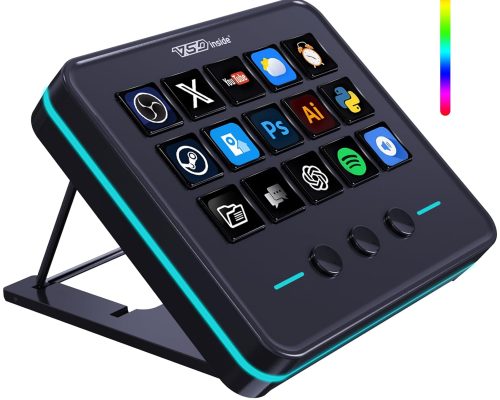
VSDinside Streaming Deck Controller: Elevate Your Creative Experience
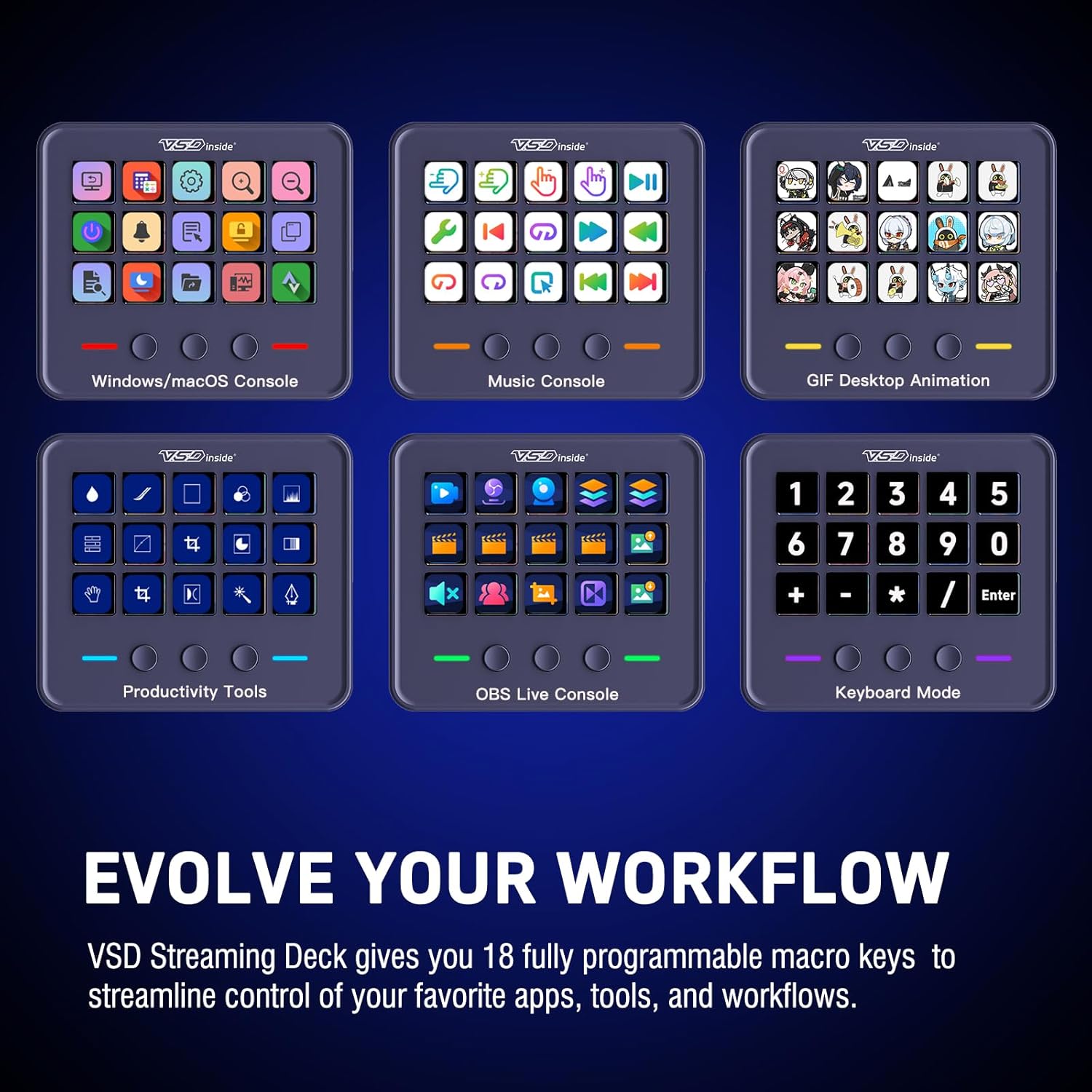
Introducing the VSDinside Streaming Deck Controller – your ultimate companion for gaming, streaming, and content creation! This smart macro keypad revolutionizes your workflow with features designed to streamline tasks and amplify creativity.
Unleash Your Potential
Transform your streaming and content production with a myriad of functionalities:
- 10x Faster Setup: Launch your streams and manage scenes with lightning speed.
- One-Click Sound Control: Instantly trigger sound effects and switch background music seamlessly.
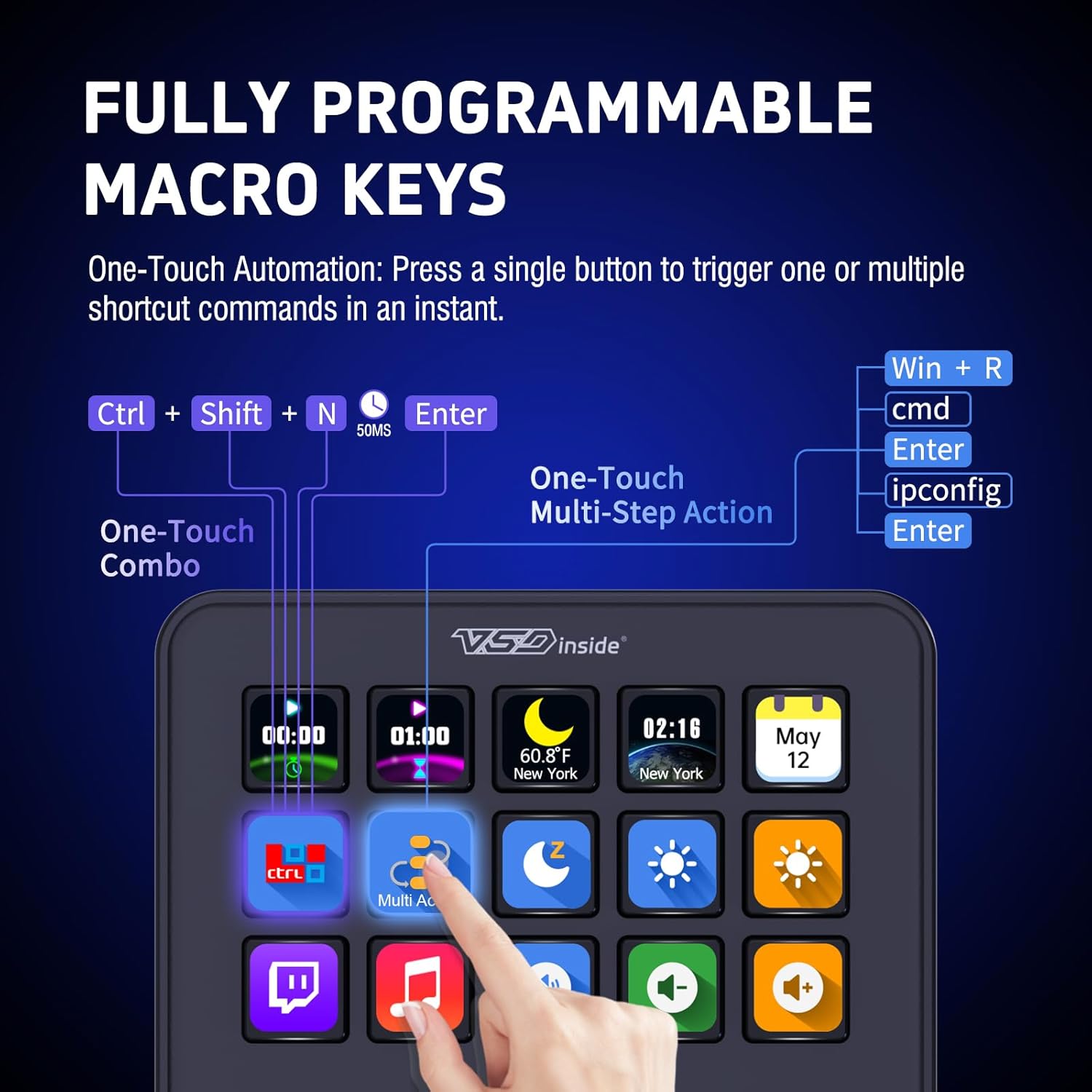
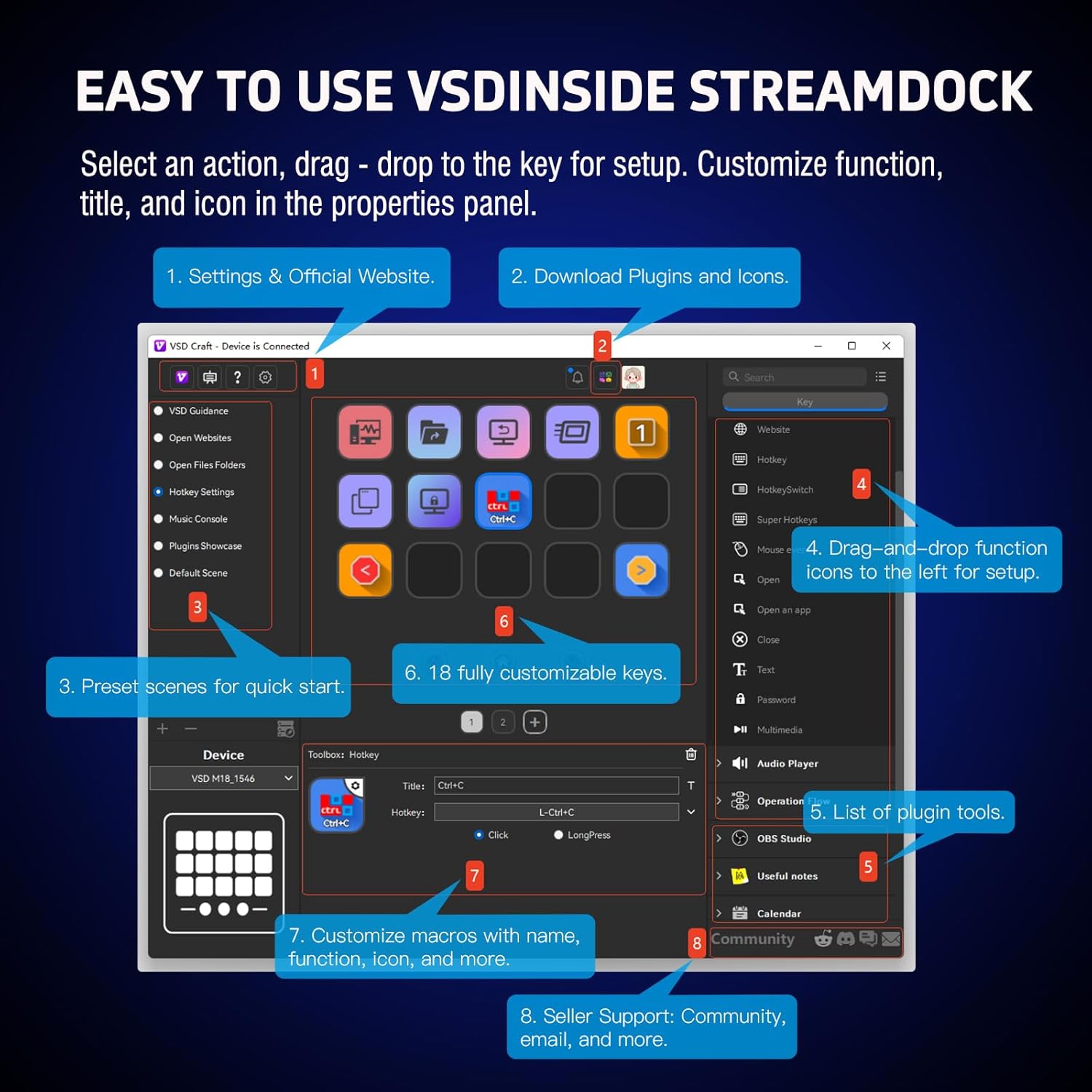
- Customizable Buttons: Every one of the 18 programmable keys (15 LCD + 3 buttons) can be tailored to suit your unique needs, allowing you to create a personalized macro paradise.
Limitless Customization
Take control of your environment like never before. With the VSDinside Streaming Deck, you can design an interface that matches your workflow:
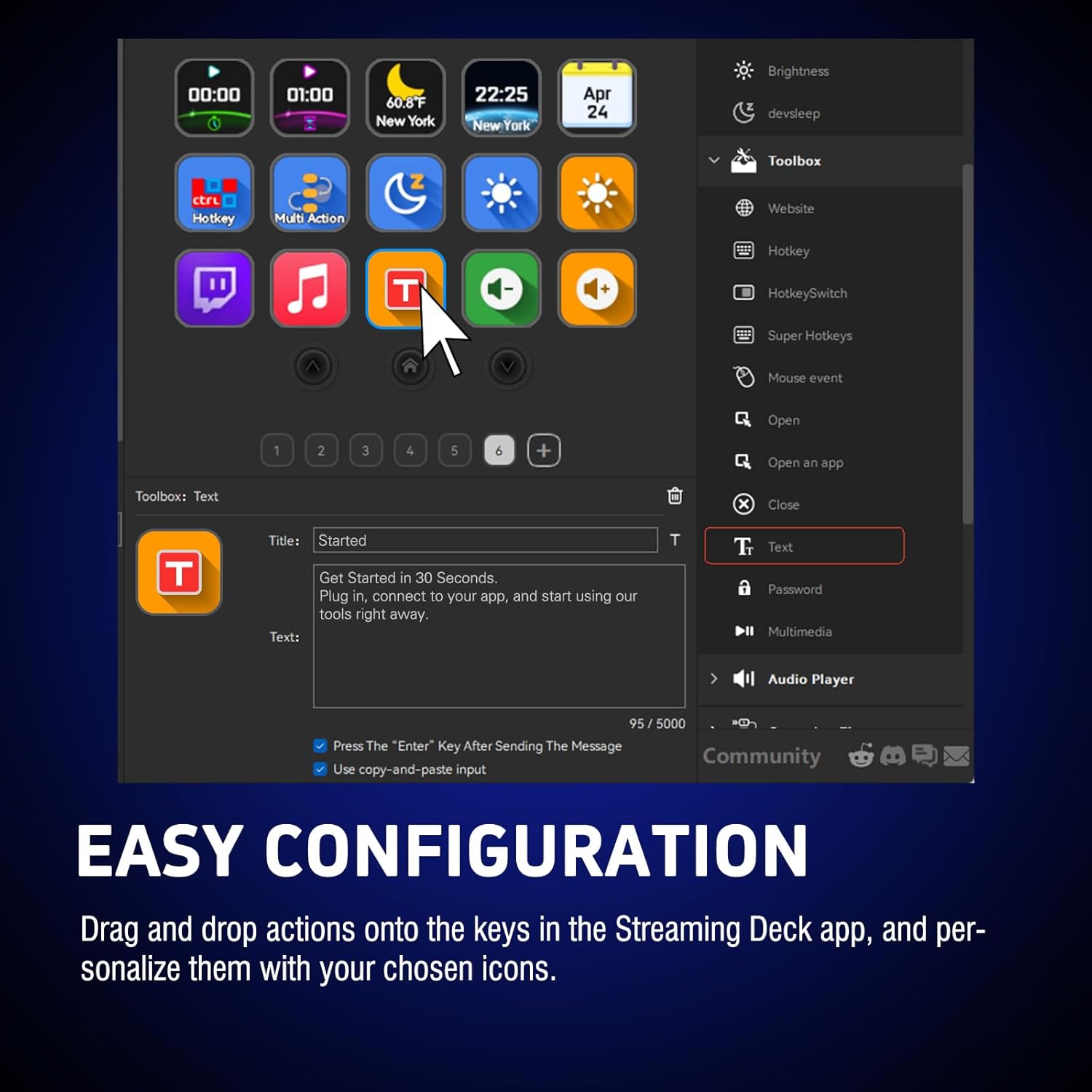
- Visualize Your Tasks: Personalize each LCD key with images and animations (JPG, PNG, GIF) for quick recognition.
- Multiple Macros at Your Fingertips: Execute a series of actions or game combos effortlessly using the "Operation Follow" feature.
Intuitive Design, Maximum Efficiency
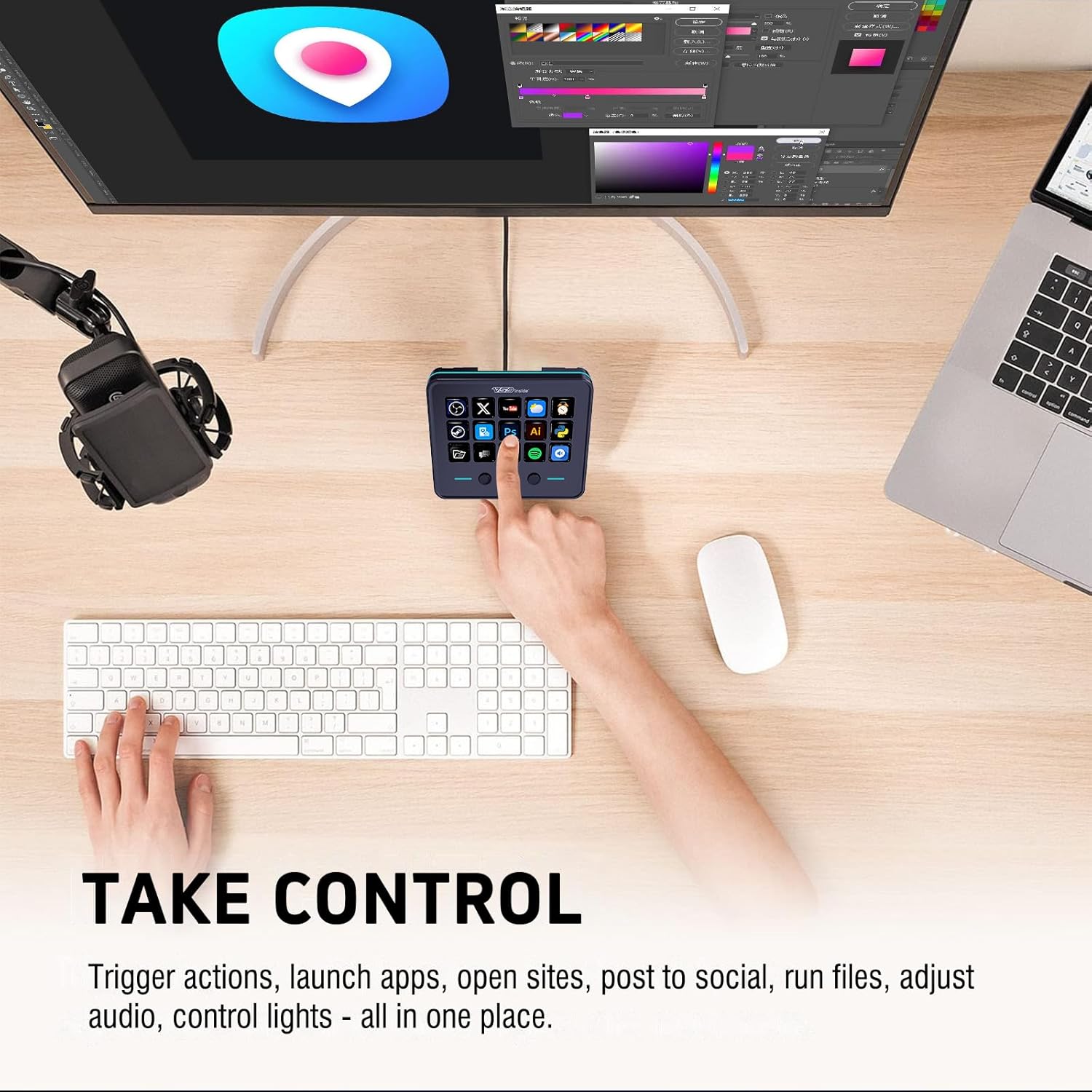
Crafted for rapid execution, the one-touch operation allows you to:
- Open applications, switch scenes, and control media with a single click.
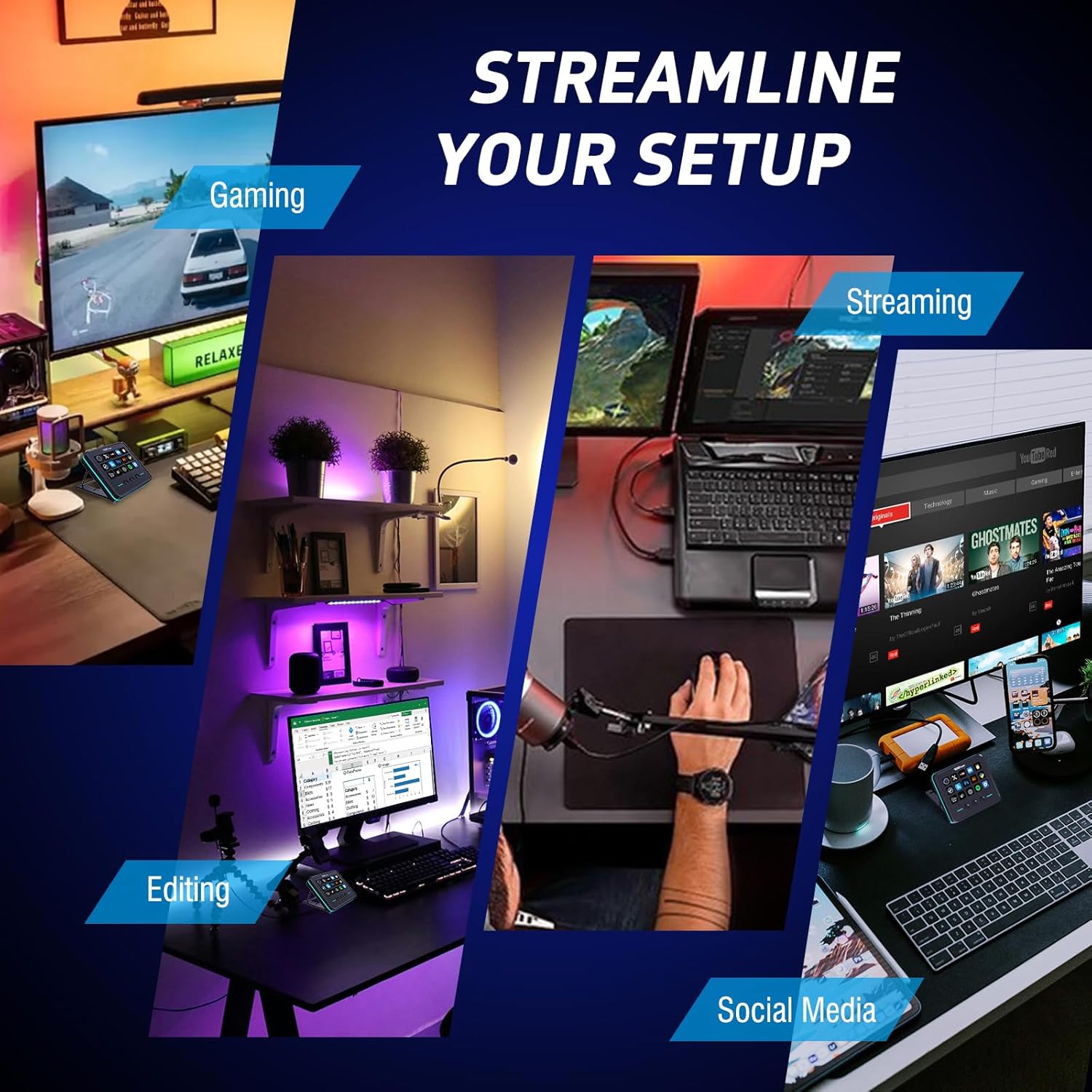
- Enhance your productivity whether you’re deep in gaming, video editing, or photo retouching.
Immerse in Ambiance
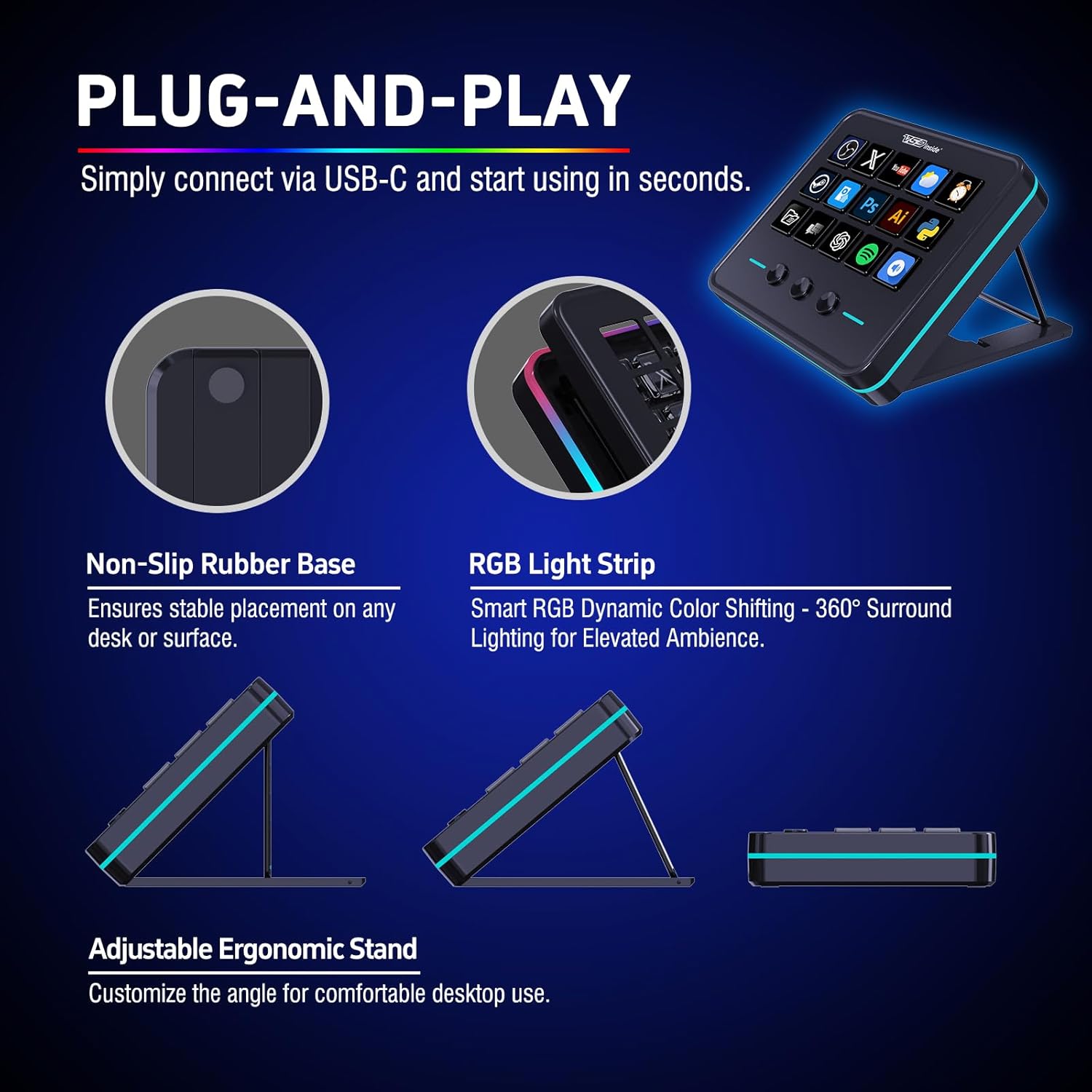
Enhance your setup with the dynamic RGB light ring that supports automatic color cycling:
- Create Your Atmosphere: Customize your lighting to elevate gaming sessions or late-night projects, adding a layer of immersion to any experience.
Universal Compatibility
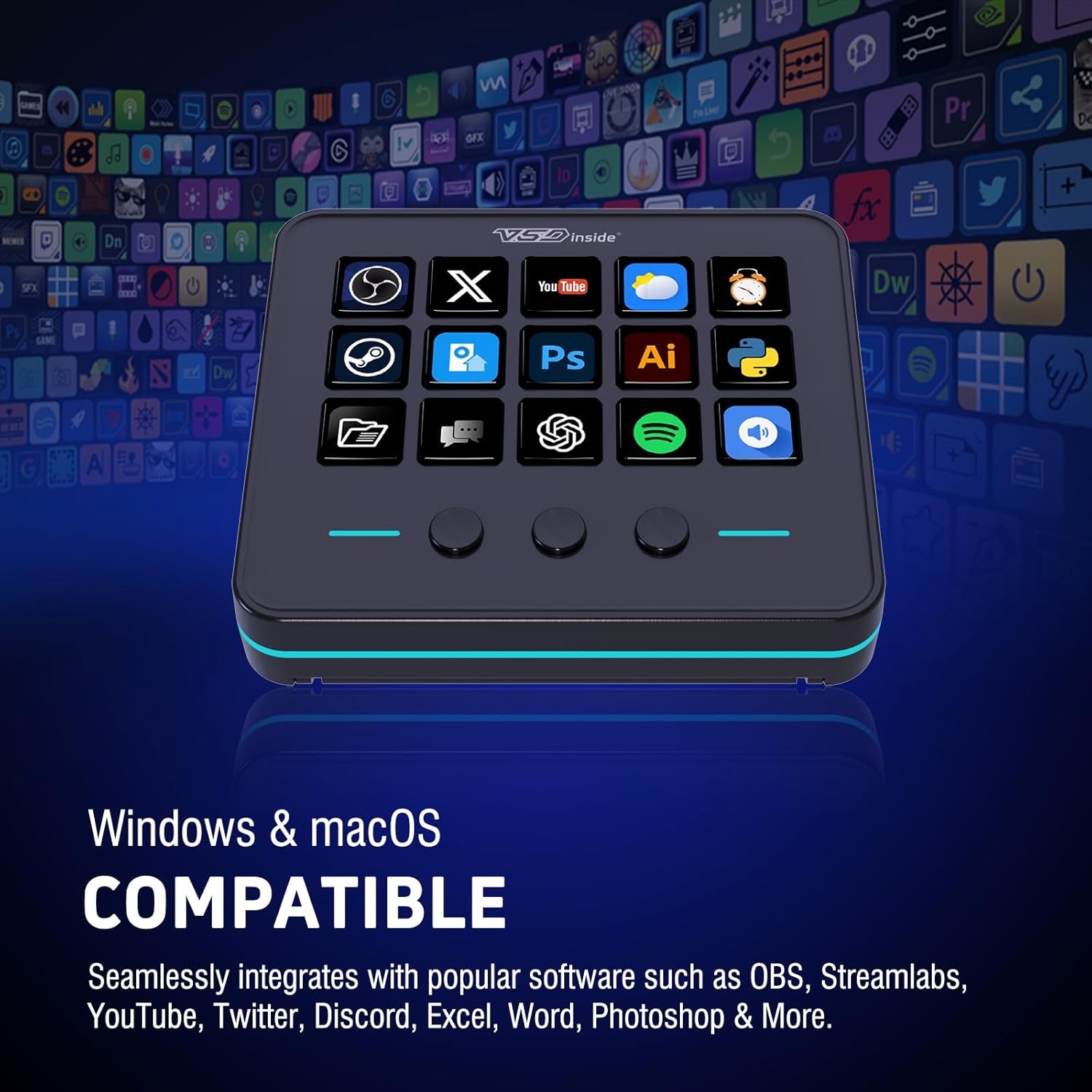
Ready to go with Windows 11 or higher and macOS 14.0 or higher, this controller easily connects through a USB-C cable. Perfectly integrates with popular software like OBS, Streamlabs, YouTube, and Photoshop, making it an essential tool in your arsenal.
Premium Quality, Unmatched Value
The VSDinside Streaming Deck combines high-grade materials with rigorous quality control for durability and reliability. Plus, it comes with versatile plugins like reminders, weather updates, and more, making it not just a productivity tool but your ideal desktop assistant.
Why Choose VSDinside?
- Affordable Excellence: Enjoy premium features at a fraction of the cost.
- Expert Support: Our dedicated team is available 24/7 via email and Discord to assist with any questions or issues.
- Regular Updates: Benefit from ongoing software enhancements, ensuring your streaming deck stays ahead of the curve.
What’s in the Box?
- Streaming Deck x1
- USB-A to USB-C Cable x1
- User Manual x1
Upgrade Your Workflow Today with the VSDinside Streaming Deck and experience the difference in your creative process! Whether you’re a seasoned pro or just starting, this tool will transform the way you work and play.
Customers say
Customers find the macro keyboard works seamlessly on PC and appreciate its straightforward setup process. The device offers extensive customization options with 18 programmable keys, and customers consider it good value for money, with one noting its crazy quality for the price. Customers like the buttons, with one mentioning they can run multi-step commands with a single press, and find it user-friendly with an intuitive companion app. Customers find the keyboard useful, with one highlighting its effectiveness for streaming and gaming sessions.
“Affordable CarPlay Upgrade with Great Features” –
Great Stream Deck for the Price!
I got this stream deck today and started using it right away, and I’m really impressed with how simple the setup was and how smoothly it works. The screen is bright, the icons look clear, and the buttons feel responsive. I was able to customize all my shortcuts quickly, and everything synced perfectly with my computer. For the price, this is a great device that makes my workflow faster and easier—I really like it so far and definitely recommend it.
BP232 –
Very useful tool I did not know I needed in my life to make things easier and more efficient!
Let me start by saying that this is my first stream deck, and I can honestly say I don’t know how I lived without one for so long. As a gamer, software developer, and content creator, I’ve known about stream decks for some time, but as I’m sure so many people do, simply relate them to streamers. In reality, these are capable of so much more than just streaming, but more on that later.First impressions as I removed this from the box is it feels like a solid high-quality unit. Setting it up was a breeze too. I have both a MacBook and a Windows Laptop, and set it up on both.Once the software is installed, just open it up and you’re ready to start customizing the stream deck. It honestly took me all of 3-5 minutes to figure out how to go about setting everything up. It’s laid out in a fairly intuitive way that just makes sense. Best part is, once you have some different actions created, it’s basically just drag and drop.One of my favorite things about this stream deck though is how you can set up different profiles, but best of all, how it will automatically switch between them anytime you enter a window or program set for that profile.For example, I set this stream deck up on my MacBook because that’s what I use for all of my content creation, specifically for Final Cut Pro. As I’m navigating around my MacBook, the main profile is up, which I have general things setup for like taking screenshots or starting a screen recording. Then as soon as I open up Final Cut Pro, whether from the task bar or hitting the stream deck button I have on the main profile, it instantly switches to the Final Cut Pro profile, which I’ve customized to have buttons for those tasks I use the most. As soon as I click on anything outside of Final Cut Pro, this stream deck again immediately switches back to the main profile.The stream deck may just have 15 buttons, but between all the profiles you can set up and them having multiple ‘pages’ you can rotate through, there’s more customization options than I can even think to need at this point. So if I have one tip for setting it up, I would say don’t worry about getting every single button on every single profile assigned. It’s ok to leave some blank buttons and then as you’re doing various tasks, assign them as needed. Otherwise it can be overwhelming and you might just end up wasting time setting up buttons you never use just for the sake of setting them up.Now let’s switch to my Windows laptop, this is where I do more of my gaming. I have a usb hub switch that this stream deck, along with my mouse and keyboard, are hooked up to so that I can easily swap between machines. As soon as I hit the switch, the stream deck changes to all my windows settings since it’s now talking to the software installed on there. I’ve just started live streaming in addition to my usual static content I create, and again this stream deck becomes invaluable. From playing pre-set sounds to specialized graphics, this can do it all.That’s what I love so much about this stream deck, it’s almost a necessity for anyone looking to get into streaming, but it’s also for so much more than that. It could almost be considered a ‘productivity’ deck. In fact, you don’t even need to be a streamer to make use of this. While I am using this for streaming, so far the majority of my use of it has been in editing videos.The last thing I want to mention is the physical stand. You can use this with or without it. Without the stand, the deck has rubber feet that do a great job to keep it in place. On the stand though, the bottom is so sticky this thing will definitely not move a single hair as you’re using it, which makes it even easier to use when you don’t have to worry about it sliding around everywhere, not to mention it’s at a perfect angle.
Chezbe 2.0 –
Game-Changer for Streamers
I’m blown away by the VSDINSIDE macro keypad! As a streamer, I’m always looking for ways to enhance my setup and improve my content. This customizable keypad has been a total game-changer.The 18 programmable keys allow me to streamline my workflow and access frequently used functions with ease. The visual AI pad is incredibly intuitive, and I’ve been able to customize it to fit my specific needs.The integration with OBS and YouTube is seamless, and I’ve noticed a significant improvement in my stream quality and production value. The keypad is also super easy to set up and use, even for a tech novice like me!The build quality is solid, and the design is sleek and compact. I’ve been using it for weeks now, and it’s become an essential part of my streaming setup.Highly recommend for streamers, and content creators!
Mason –
Great value and nice productivity enhancer
I’ve been trying out this stream deck and it’s made a noticeable difference in my workflow. The 18 programmable keys (especially the 15 LCD ones) are super customizable—I’ve set them up with icons and GIFs to make switching tasks faster and more intuitive. The RGB light ring adds a nice touch to my desk setup, especially during late-night sessions.One-touch macros work flawlessly for launching apps and even controlling media. The multi-hotkey feature is a lifesaver for video editing and gaming. Setup was easy with USB-C, and it works well on both my Windows and macOS computers.Only challenge was the software could be a bit more intuitive for first-time users. But once you get the hang of it, it’s a powerful tool at a great price.
Amazon Customer –
Best product, best software, button are little hard to press
It’s a very good product, very easy to use and lots of customization available, very straight forward software. Over all it’s the best for the money.Having said that I find the button are little hard to press, it’s not like red key keyboard.For data entry work in my use case it’s not suitable. Otherwise nice designMaybe we have use this product for the intended purpose. stream.
Laurie –
intuitive app makes setup easy
The VSDINSIDE Macro Keypad has been an excellent addition to my desk setup, and I’m totally impressed with its functionality. The 18 customizable keys are incredibly handy for my streaming and gaming sessions, letting me set up complex macros and launch applications with just a press. Setting it up was a breeze thanks to the intuitive companion app, and customizing the LCD keys with images and animations is a nice touch that enhances my workflow. The build quality feels robust, and the stable stand prevents any wobbling during use. The striking lighting adds a cool aesthetic to my desk, and I’ve found it’s a great value for the features it offers. Quickly setting up shortcuts has saved me so much time, making my streaming and editing process more efficient. Overall, this macro keypad is a fantastic investment for anyone looking to streamline their tasks and enhance their desk setup.